
效果图
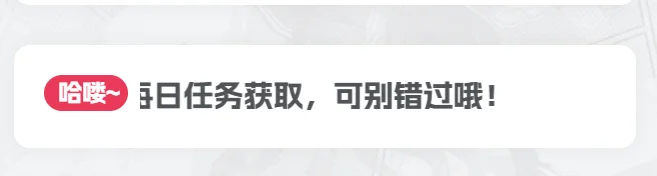
代码:
在模块 – 小工具 – 所有页面-侧边栏-顶部位置 – 增加一个【自定义HTML】
把以下代码复制进去:
<style>
    @keyframes move {
        0% {
            transform: translateX(0px);
        }

        100% {
            transform: translateX(-200%);
        }
    }

    .show-notice {
        width: 100%;
        overflow: hidden;
    }

    .show-notice-hello {
        float: left;
        width: 15%;
        background-color: var(--theme-color);
    }

    .show-notice-inner {
        float: left;
        width: 80%;
        margin-left: 2%;
        overflow: hidden;
    }

    .show-notice-move-text {
        font-size: 15px;
        color: var(--main-color);
        white-space: nowrap;
        animation: move 10s linear infinite;
    }
</style>
<div class="tuc-2ea177b2-22532e-0 show-notice zib-widget tuc-2ea177b2-22532e-0">
    <div class="tuc-2ea177b2-22532e-0 show-notice-hello badge tuc-2ea177b2-22532e-0">哈喽~</div>
    <div class="tuc-2ea177b2-22532e-0 show-notice-inner tuc-2ea177b2-22532e-0">
        <div class="tuc-2ea177b2-22532e-0 show-notice-move-text tuc-2ea177b2-22532e-0">  全站积分可通过签到和每日任务获取,连续签到满30天可领取月卡会员15天,可别错过哦!</div>
    </div>
</div>